
AI Photo Restoration: restore old photos online free
Repair old, damaged photos and colorize them
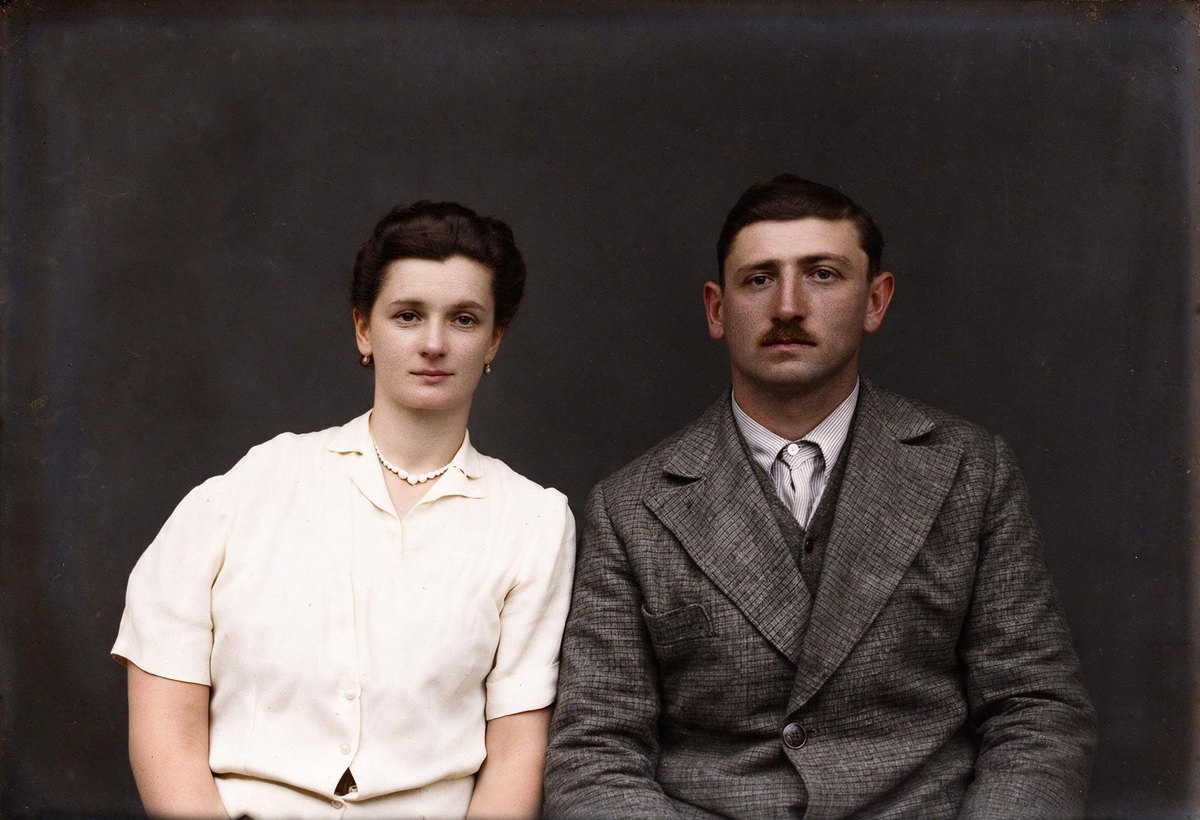
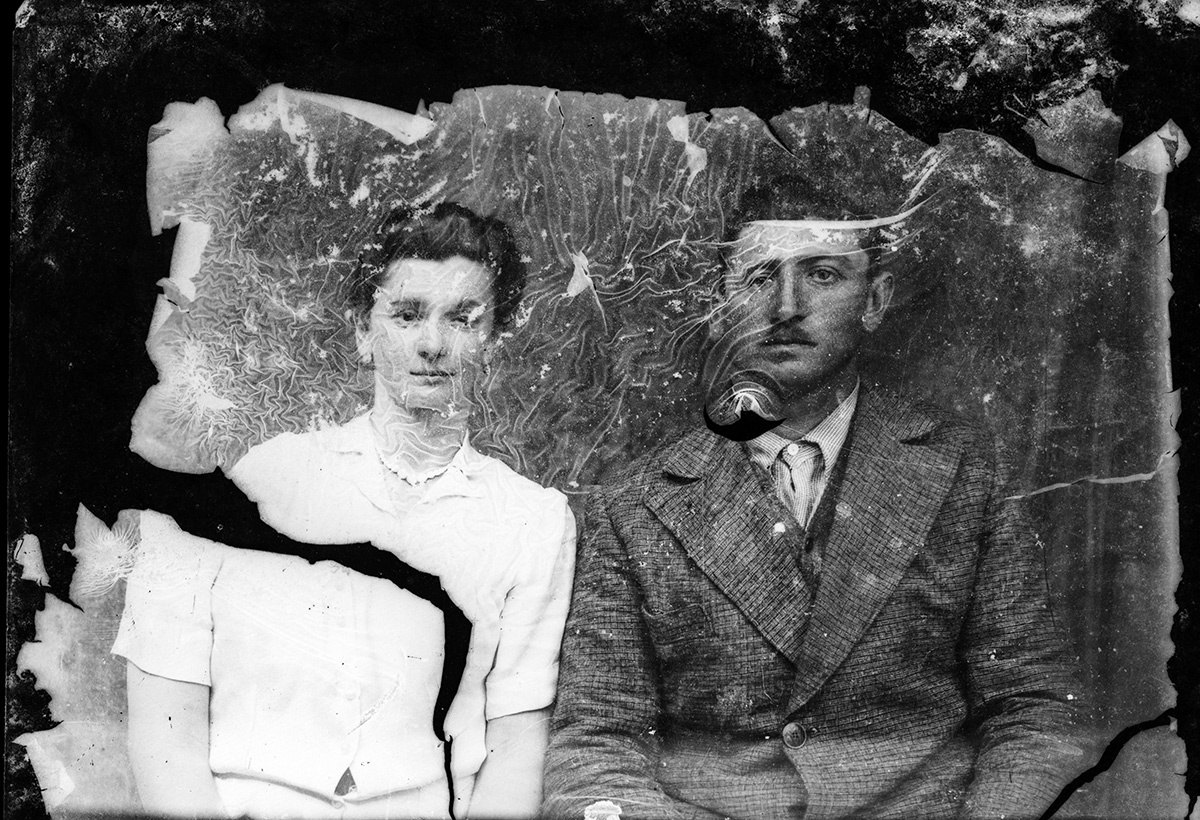 BeforeAfter
What is AI Photo Restoration?
Restore old photos with AI in one click. Upload a scan of an old or damaged photo and the AI removes scratches, cracks, creases, dust, stains and fading, fills in torn or missing areas, reduces grain and brings faces back into focus. Switch on colorize and the restored picture also gets natural colour, so a faded black and white print comes back as a clean colour photo in a single step.
Restoration runs on Nano Banana 2.1 and Pro from Google or Seedream 5.0 Pro and Flash from ByteDance. The model is told to keep every person's identity, expression, hairstyle and clothing, and the composition and period feel of the original, while repairing only the damage. Results come out at 2K, or 4K on Nano Banana, ready to print, and a slider shows the old damaged photo and the restored one side by side.
What you can make with AI Photo Restoration
Upload a scan and generate. No healing brush, no layers, no prompt.
Scratches, cracks, folds, tears, dust, mould spots, stains and fading are removed and missing areas filled in.
Soft, grainy faces in old damaged photos are sharpened while keeping the person recognisable.
Keep the original black and white or sepia look, or switch on colorize for natural colour.
Restored photos come out large enough to reprint, frame and share.
No beauty filter, no modernised clothing, no new people: only the damage is repaired.
Done in three steps
- 01Scan or photograph the print
Scan the old photo, or photograph it flat in even light without glare, and upload the file.
- 02Choose colorize and size
Leave colorize on for a colour result or turn it off to keep the original tone. Pick 2K or 4K, and Nano Banana Pro for heavily damaged photos; Seedream 5.0 Flash is the budget option.
- 03Compare and download
Drag the slider to compare the damaged original with the restored photo, then download it or enhance it further.
- A flat, glare-free scan matters more than anything else; re-scan if there is a reflection on the print.
- Crop away the album page or frame before uploading so the model works on the photo only.
- For badly torn photos with large missing areas, try Nano Banana Pro and compare.
- Run AI Image Enhancer on the restored result if you want it even sharper.
Built for these creators
Repair the old damaged photos in a family album before they fade any further.
Restore a grandparent's portrait for an anniversary, a memorial or a framed gift.
Clean up antique photos found in archives and family boxes for your family tree.
Make quick restored previews of collection photos for exhibitions and social posts.
AI Photo Restoration FAQ
Try AI Photo Restoration now
No prompt skills needed. Write a sentence, pick a model and generate; the first images are on us.