
Seedream 5.5 AI Image Generator New
ByteDance's newest Seedream: steadier edits, transparent PNGs, cleaner text

Cinematic editorial photograph of a young female ceramic artist in her sunlit studio, hands shaping a wet clay bowl on a pottery wheel, natural window light, fine skin texture and clay splatter on her forearms, shelves of glazed pottery behind her softly out of focus, warm muted tones, 50mm, shallow depth of field, realistic
Try this promptWhat is Seedream 5.5?
Seedream 5.5 is the latest image model in ByteDance's Seedream family, released in November 2026. Its headline improvement is editing stability: when you ask for one change, the areas you did not mention stay pixel-for-pixel the same, without the colour drift and softening that usually build up when an image is edited again and again. ByteDance says a single picture holds up over as many as 100 rounds of edits.
It is also the first Seedream that can output a real transparent PNG. Turn on Transparent background and stickers, logos, product cut-outs and icons come back with a clean alpha channel, including semi-transparent glass and soft edges, so there is nothing left to mask. On top of that, skin, light and materials look more natural than in 5.0, and dense small text, including non-Latin scripts, comes out readable far more often. Output is 1.5K or 2K in eight aspect ratios, with up to ten reference images.
What you can make with Seedream 5.5
Change one thing per round and the rest of the picture stays exactly as it was, with no colour shift or loss of detail.
Switch on Transparent background for stickers, logos and product assets with a clean alpha channel. No cut-out step.
Better skin texture and lighting than Seedream 5.0, with less of the over-smooth, over-exposed look.
Dense captions, labels and multilingual text come out legible much more often. Put the exact words in quotes.
Combine people, products and styles from up to ten images, referred to as image 1, image 2 and so on.
The smaller size is 1.5K instead of 1K for the same credits as Seedream 5.0 Pro at 1K, and 2K costs less than Pro. Each attached image adds 2 credits.
Made by the community
Open one to see the full prompt and recreate it.
Change one thing. Keep everything else.
A real three-round edit made with Seedream 5.5 on this site: each round takes the previous result as its input. The untouched parts of the photo stay put instead of drifting a little more every time.
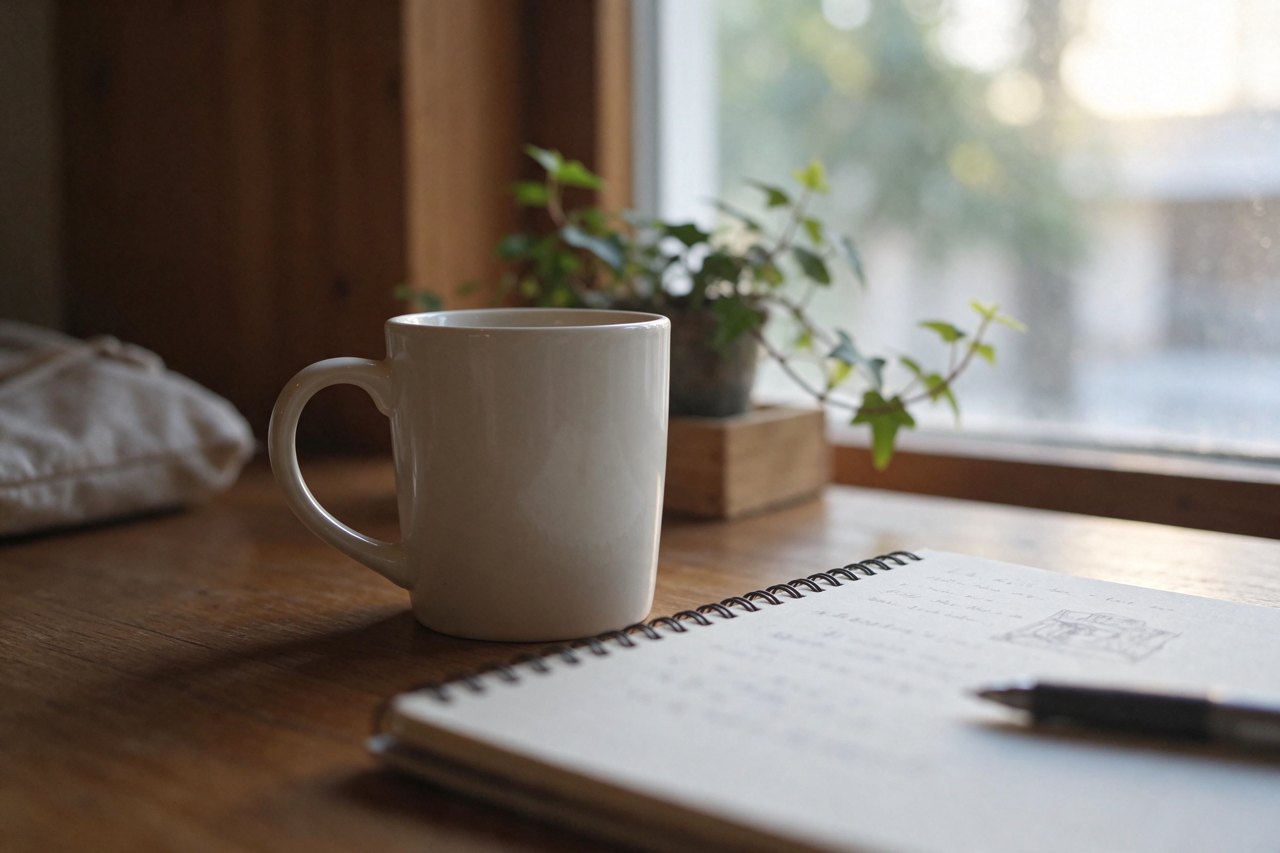 Original
Generated from a text prompt 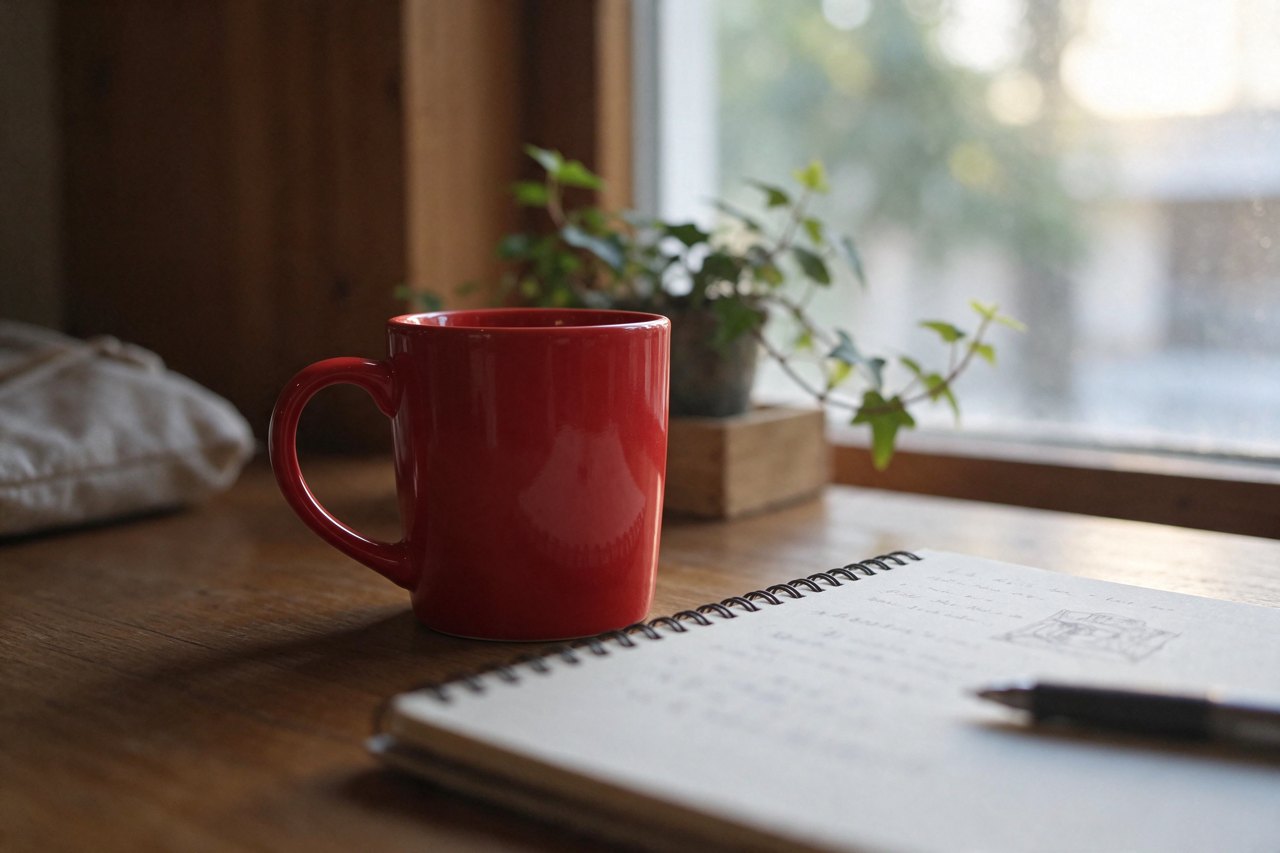 Edit 1
“Change the white mug to a red mug. Keep everything else exactly the same.” 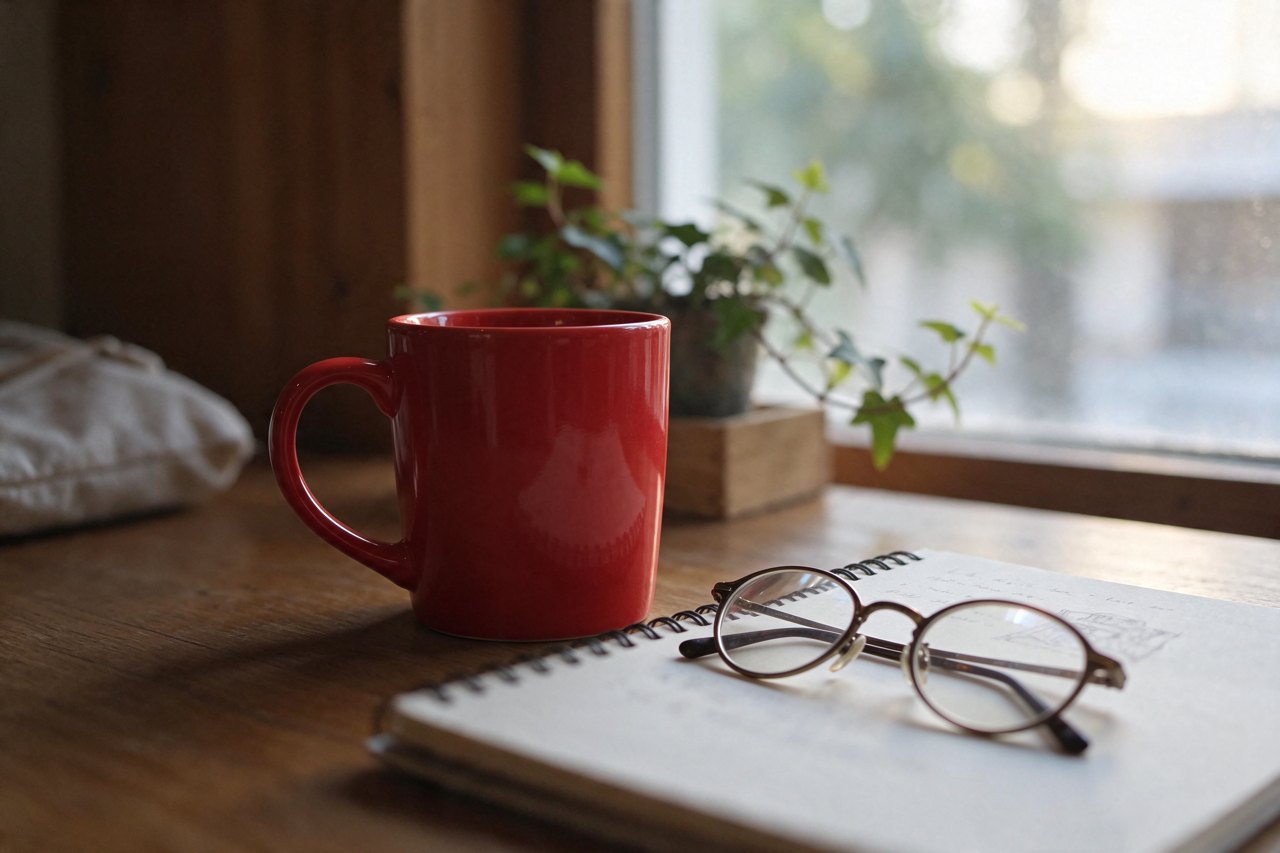 Edit 2
“Add a pair of round glasses on the notebook. Keep everything else exactly the same.”
Under every image result there is a Continue editing button. One click makes that result the input for your next instruction.
Every round is kept in a strip of thumbnails. Click any earlier version to go back and branch from there.
Short, single instructions give the steadiest results. For Seedream 5.5 we also remind the model to keep everything else the same.
From idea to image in three steps
- 01Write the prompt
Describe the subject, setting, lighting and style. Add reference images if you want Seedream 5.5 to follow a person, product or look.
- 02Choose size and ratio
Pick the aspect ratio and resolution for where the image will be used. The credit cost updates as you change them.
- 03Generate and refine
Hit Generate. Download the result, re-run with a tweak, or send it on to the image editor.

Try these prompts
Click one to drop it into the generator above, then tweak a few words.
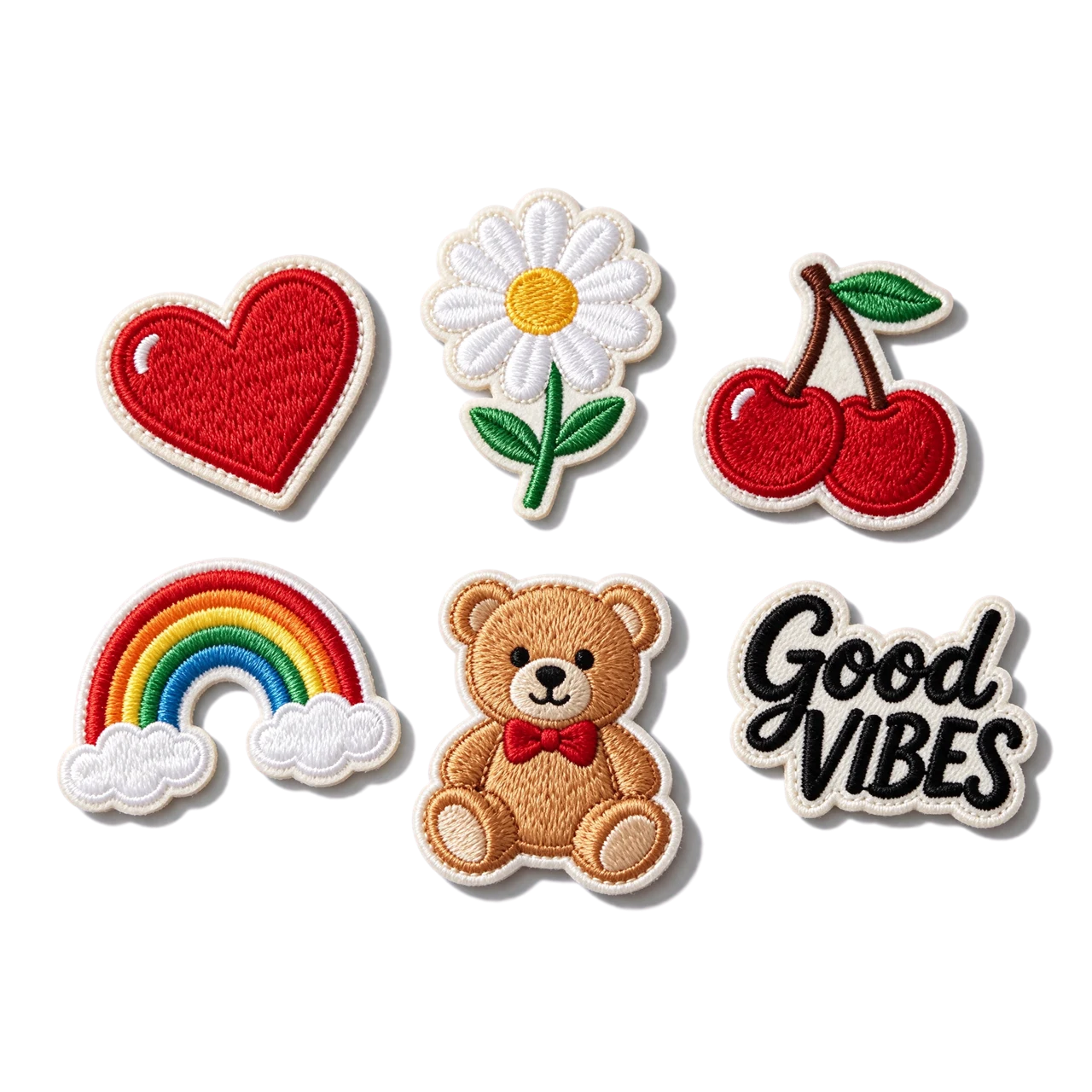
A set of five separate die-cut embroidered patch stickers floating on a fully transparent background with nothing behind them: a red heart, a white daisy, red cherries, a rainbow and a teddy bear, plus a black cursive embroidered word "Good VIBES". Raised thread texture, off-white stitched borders, soft drop shadows only under each sticker.
Try itLogo on transparentA flat minimal logo of a fox head made of orange and white geometric shapes, centred, transparent background, clean vector look
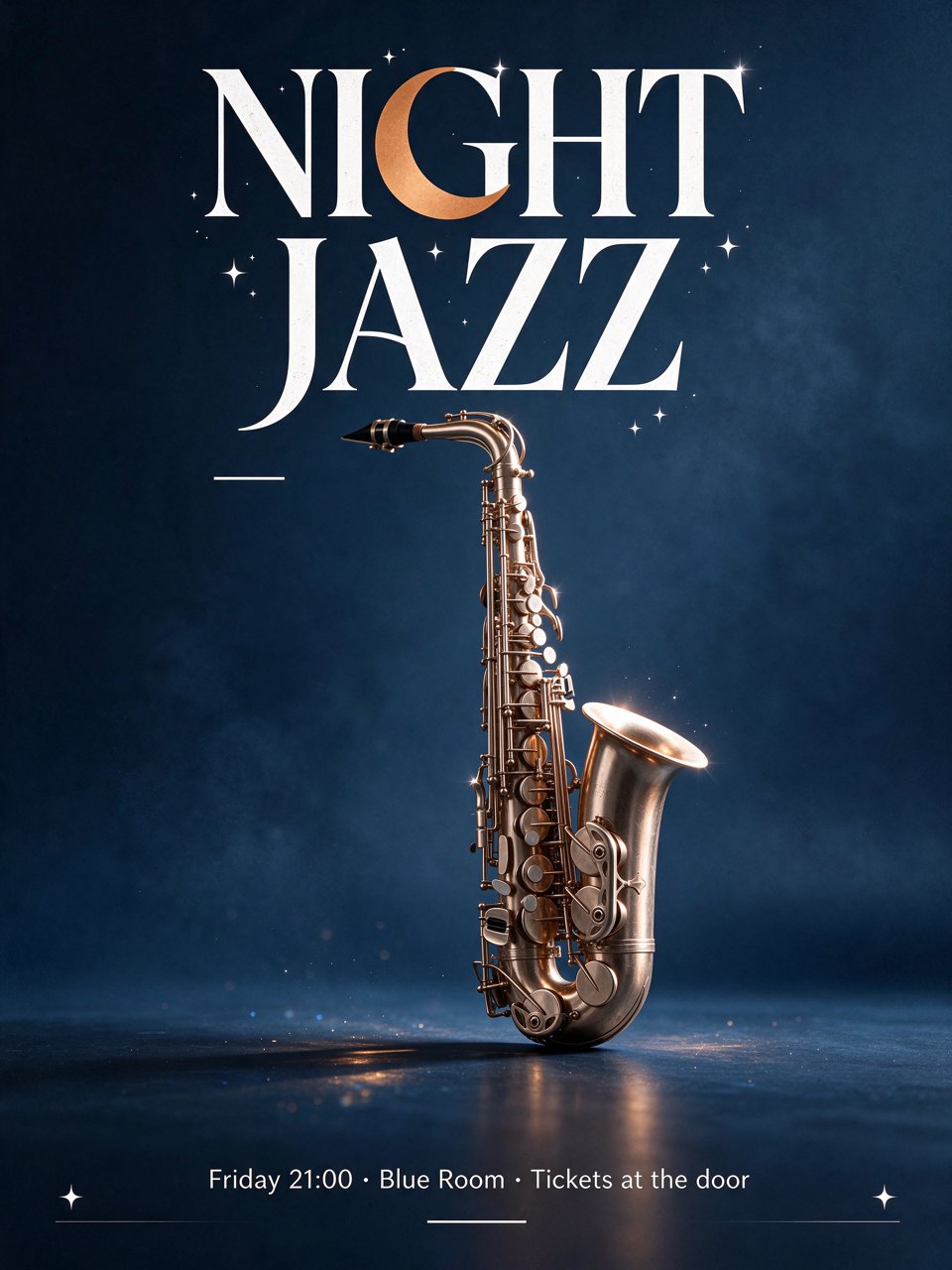
Try itPoster with small textA minimalist concert poster, deep blue background, a single white saxophone, headline "NIGHT JAZZ", small text below "Friday 21:00 · Blue Room · Tickets at the door", 3:4
Try itOne-change editChange the white mug in image 1 to a red mug. Keep everything else exactly the same.
Try itBuilt for these creators
Fix a product shot or portrait step by step: recolour, add, remove, relight, one instruction at a time without the image degrading.
Transparent PNGs ready for print, chat sticker packs, web pages and slides.
Product images on a transparent background that drop straight onto any banner or listing template.
Layouts with headlines and small print where the words have to be right.
Seedream 5.5 versions compared
Same family, different speed, quality and price. Click a name to switch.
| Model | Best for | Resolution | Speed | |
|---|---|---|---|---|
| Seedream 5.5 | Round-after-round photo edits, stickers and logos on transparent backgrounds, and posters with small text | 1.5K / 2K | Balanced | |
| Seedream 5.0 Pro | Photorealistic people and products, posters with text | 1K / 2K | Balanced | |
| Seedream 5.0 Flash | Quick realistic drafts and batches on a budget | 1K / 2K | Fast |
Similar models
All models
Seedream 5.5 FAQ
Start creating with Seedream 5.5
Write a prompt, pick your settings and generate. Every result is saved to your library with its settings.